For over a decade, Algodoo has been a staple of the physics sandbox genre. Its fluid dynamics, free-hand tools, and open-ended canvas have made it a favorite for digital tinkerers, educators, and creators alike. But if you, as a casual player, have ever tried to build complex, highly structured machinery or automated systems in it, then you’ve likely ran into the steep learning curve of its internal scripting language.
Enter marblebuilds. A new 2D side-scrolling, engineering sandbox game designed to give builders total control over their creations without the headache of complex coding.
If you are looking for games like Algodoo, you might wonder how these two titles stack up. Is marblebuilds just another physics toy, or is it the structural alternative you have been waiting for? Let’s break down how these two sandboxes compare across building systems, logic automation, and gameplay modes.
The Core Concept: Free-Hand Sketching vs. Precision Engineering
The most immediate difference between the two games lies in how you physically manipulate the sandbox environment.
Algodoo: The Digital Sketchbook
Algodoo behaves like a living drawing board. Players use free-hand vector tools to sketch shapes, polygons, ropes, and gears. This allows for infinite artistic freedom and beautiful fluid simulations. But it can also be a trap for geometric placement perfection and less focus towards building the system itself.
marblebuilds: Fast and Precise Snap-to-Grid
marblebuilds shifts the focus from artistic drawing to structured engineering. It utilizes a snap-to-grid building system across an unlimited square grid. This fast and precise grid building means you can lay down tracks, loops, and mechanical pathways that align perfectly. There are no structural joint failures or stress calculations to slow down your momentum; it focuses purely on pure mechanical flow and logic layout.
💡 Try it Yourself: Jump right in and build your first track in the free marblebuilds web demo directly in the browser.
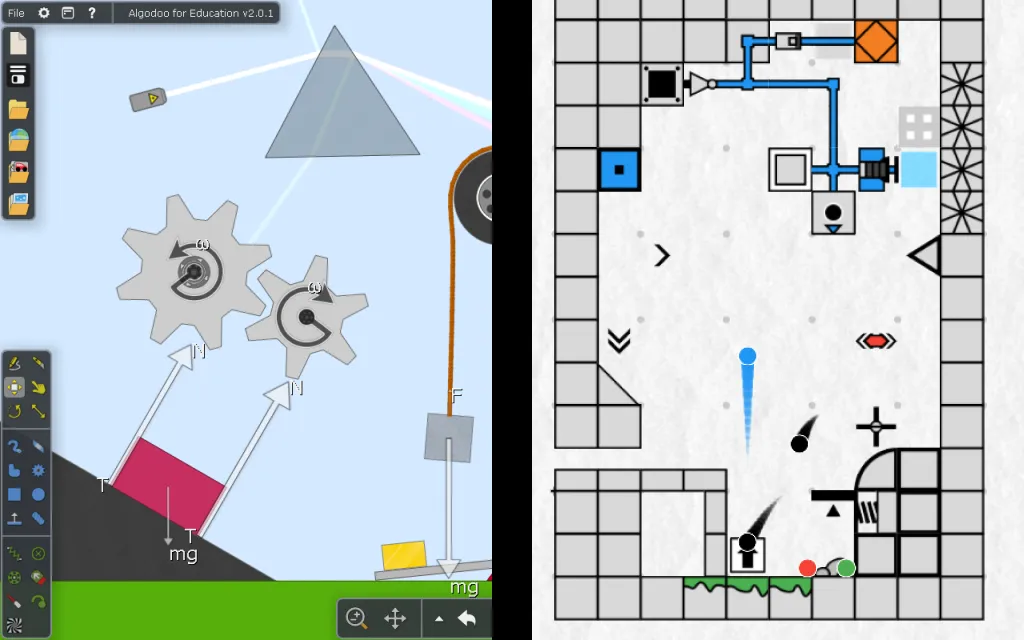
Algodoo emphasizes free-hand artistic shapes, while marblebuilds uses a clean, fast snap-to-grid system built for structural accuracy.
Logic Systems: Scripting vs. Visual Redstone-Style Circuits
So maybe you want your physics creation to “think”. This can mean anything from counting objects, timing traps, to opening automated doors, or building calculators. Both sandboxes offer vastly different approaches to logic.
| Feature Category | Algodoo | marblebuilds |
|---|---|---|
| Building Style | Free-hand drawing & vector shapes | Snap-to-grid structural layout |
| Automation Method | Thyme (Text-based coding) | Visual, block-based logic circuits |
| Interaction Mode | Passive observation | Active Precision Platforming |
| Learning Curve | Steep (requires script knowledge) | Easy to learn, difficult to master |
| Access & Target Platforms | Desktop installation | Web Demo / PC Steam Release; planned Mobile Release |
Scripting in Algodoo
To achieve deep automation in Algodoo, players must use Thyme, a text-based scripting language. It’s incredibly powerful for advanced programmers, but also a massive entry barrier for casual players, younger builders, and educators who want to create automated systems without learning syntax.
The marblebuilds Visual Circuitry
marblebuilds is built as a 2D sandbox with logic circuits. It features a Redstone-inspired logic system that requires absolutely no coding. All automation is visual and block-based.
By dragging and dropping visual wires, logic gates, buttons, and marble sensors, players can establish intricate networks instantly. It brings Zachtronics and Factorio-inspired automation into a two-dimensional physics space, making it a dream playground for Minecraft Redstone players.
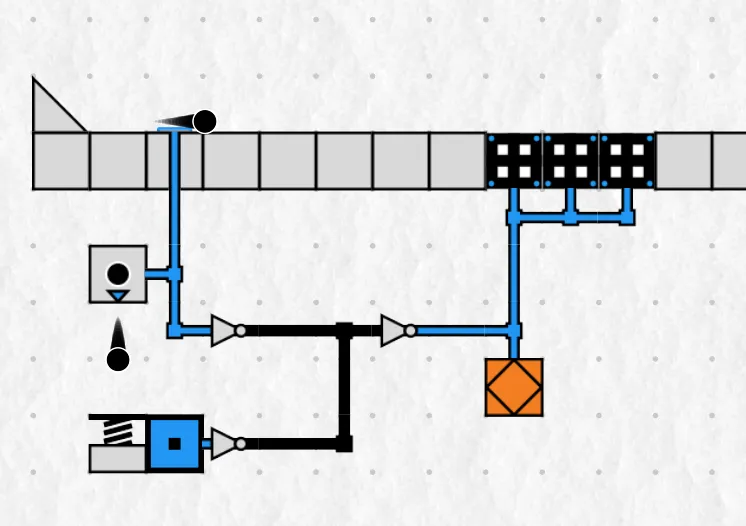
No coding required. Automation in marblebuilds relies on visual, block-based logic systems inspired by Minecraft Redstone and Zachtronics games.
Gameplay Styles: Passive Sandbox vs. Active Platforming
What do you actually do once your machine is built?
- Algodoo is primarily a passive simulation. You construct your machine, click the play button, and watch the physics engine simulate the results. Your interaction with the world after hitting play is mostly limited to clicking and dragging items with your mouse pointer.
- marblebuilds turns your creations into playable experiences. It functions as a physics sandbox with interactive gameplay. You can add interactive buttons to your designs, which let you trigger circuits using your mouse. Or you can set your levels to Platformer Mode anytime, to directly pilot your marble using keyboard or mobile layouts.
This hybrid structure transforms the game into a platformer level editor where you can build complex, moving obstacles and then immediately test your reflexes against your own engineering.
📺 Watch the Gameplay Loop: See how seamlessly a construction layout transitions into a high-speed obstacle course in our official marblebuilds trailer video.
Community, Level Sharing, and Emergent Gameplay
A great sandbox relies entirely on what its community can pull off. Both games foster massive emergent sandbox gameplay, but they distribute it differently.
In Algodoo, creators share scenes containing complex vehicles, ragdolls, or fluid simulations. In marblebuilds, the presence of an integrated platformer level editor and a massive library of 150+ blocks pushes creative physics experimentation into entirely new genres.
Because the physics mechanics interact directly with visual logic loops, players build everything from marble races and logic calculators to platforming challenges and minigames like pinball, plinko, and custom arcade setups. With its built-in level sharing, you can instantly share custom stage codes with friends or the community.
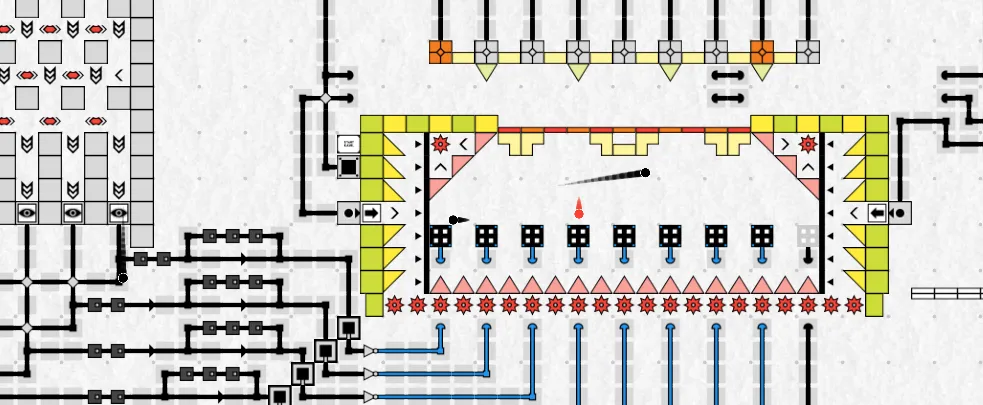
Thanks to open-ended marble engineering, the community constructs complex interactive minigames detached from traditional marble tracks.
Timeline and Project Status
Algodoo is a legacy tool that has seen less updates and community presence in the past few years. Meanwhile marblebuilds is actively expanding its ecosystem.
Development on marblebuilds officially began in October 2025. The development team is actively rolling out playtests through mid-2026, fine-tuning block behaviors, UI readability, and logic performance based on direct player community feedback. The highly anticipated full PC game launch is officially slated for Q4 2026.
So Which Game Should You Build In?
Go with Algodoo if:
- You want to focus on freehand drawing, polygon design, or sketching fluid dynamics.
- You are comfortable typing out text-based text scripts to manipulate physics objects.
- You prefer passive physics toy simulations over active player control.
But choose marblebuilds if:
- You want an accessible engineering sandbox with a clean, satisfying snap-to-grid building system.
- You want to design complex automated factories, calculators, or traps using a visual introduction to digital logic without writing a single line of text code.
- You love the concept of a physics-driven platforming experience where you can build, play, and share your own levels.
- You are a fan of Minecraft Redstone, Zachtronics puzzles, or classic construction games like The Incredible Machine.
Ready to start sketching your next automated masterwork? Head over to Steam to wishlist the game, check out the web preview, and join an active community of sandbox engineers!
- Steam Page: Wishlist marblebuilds on Steam
- Play Right Now: Launch the Official Web Demo
- Join the Community: Find custom levels and share circuit builds on the Grizbuilds Discord Server.
Related Articles
- How Logic Circuits Work in Marble Physics Games
- Building Your First Marble Contraption: A Beginner’s Guide
- The 150+ Block Library Explained: What Makes marblebuilds Different
- The Geometry Dash Crossover: Why GD Level Creators Are Flocking to marblebuilds
- 2D Redstone: Why Minecraft Engineers Need to Try marblebuilds